
Cambrionix Connect: Software for Managing USB Hubs, Data Sync & Firmware Updates
-

Developer Tools
Get direct control over hubs, ports, and connected devices. Use our API, CLI, and CLU to monitor, automate, and scale your device workflows.
Developer Tools provide powerful command-line tools and APIs for automating device workflows, updating firmware, and integrating Cambrionix hubs into your development systems. Designed for developers, IT teams and systems integrators to use with macOS, Windows or Linux.
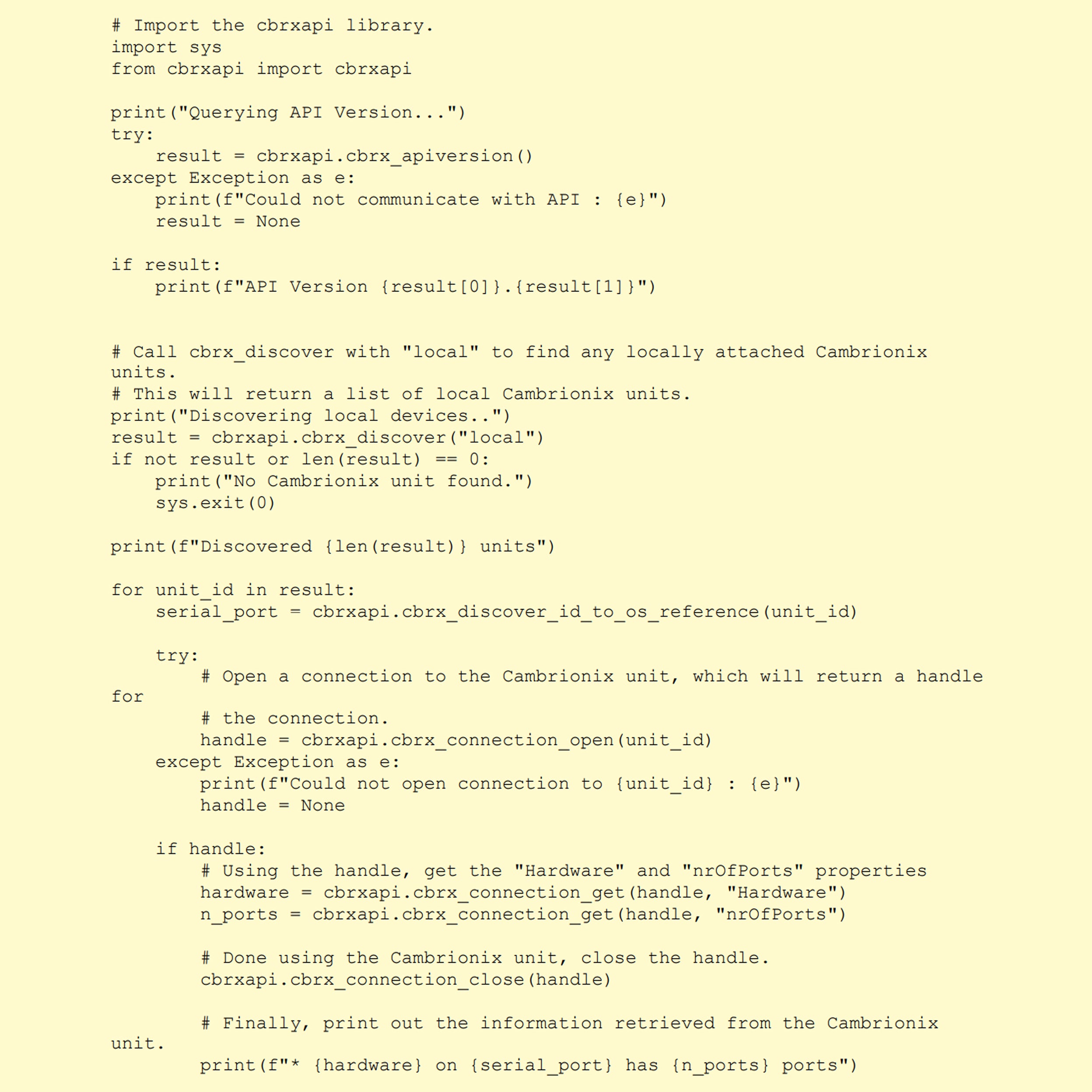
Cambrionix API
The API lets you seamlessly integrate Cambrionix USB hubs into your own software, enabling full programmatic control over connected devices. Ideal for developers and IT teams, it provides a powerful way to automate, monitor and manage workflows at scale.
With the API, you can build custom tools or connectors that access detailed device data, manage event logs, operate port gates, adjust system settings and more.
Note: The API is now part of the Cambrionix Connect software platform, ensuring secure, unified access to all hub management features.
Command Line Instructions
Cambrionix CLI
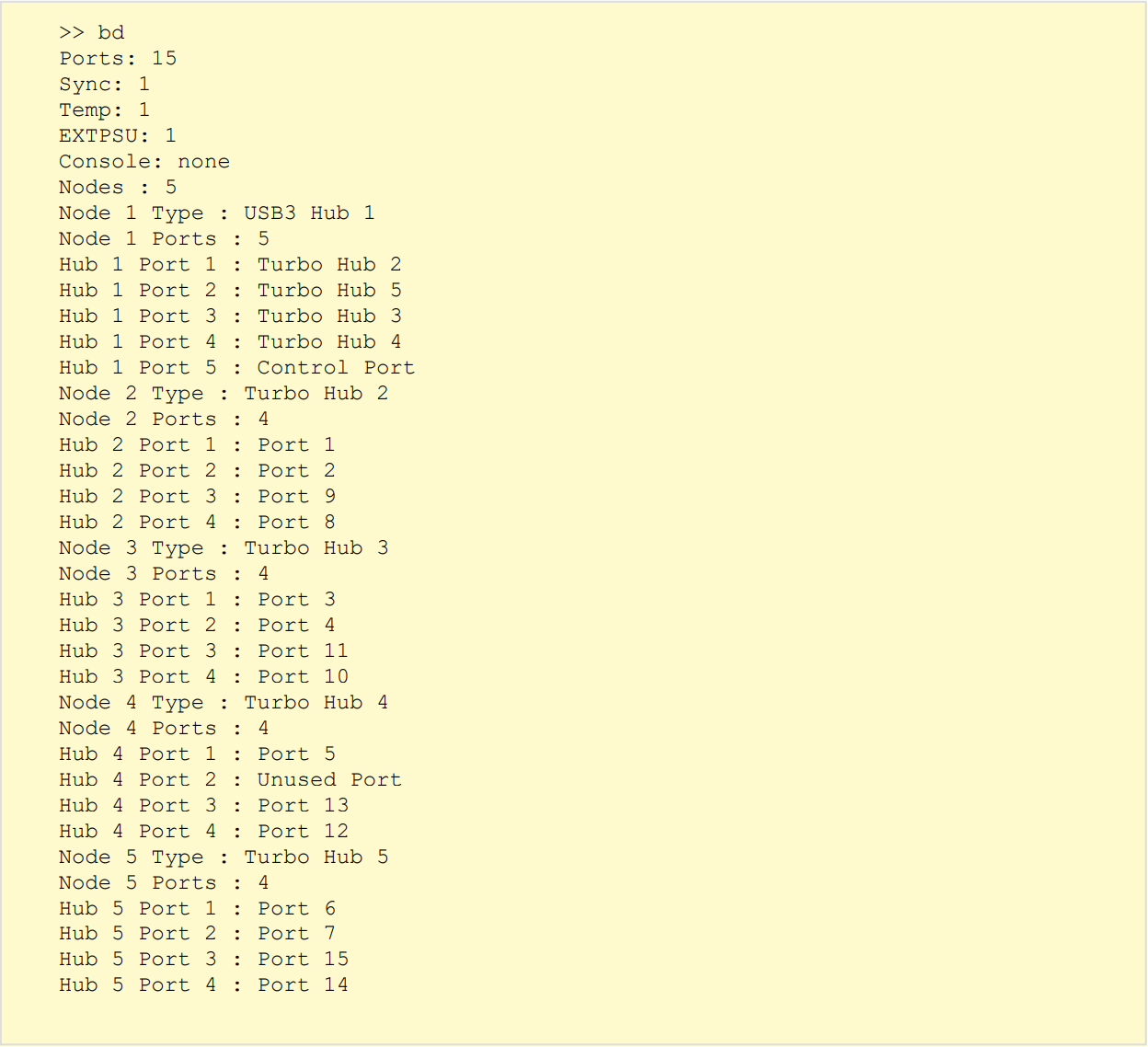
CLI allows you to monitor and control Cambrionix USB hubs and connected devices via simple, text-based commands. This is especially useful in environments where a graphical interface isn't practical or when integrating hub control into automated workflows.
The CLI communicates with the hub over a Virtual COM Port (VCP). To get started, you’ll need to install a serial terminal emulator on your host computer. Supported tools include PuTTY, Minicom, Serial or ZTerm.
The CLI gives you full visibility and control over your hub’s behaviour. Ideal for diagnostics, performance monitoring, port control and automation.
Command Line Updater
Cambrionix CLU
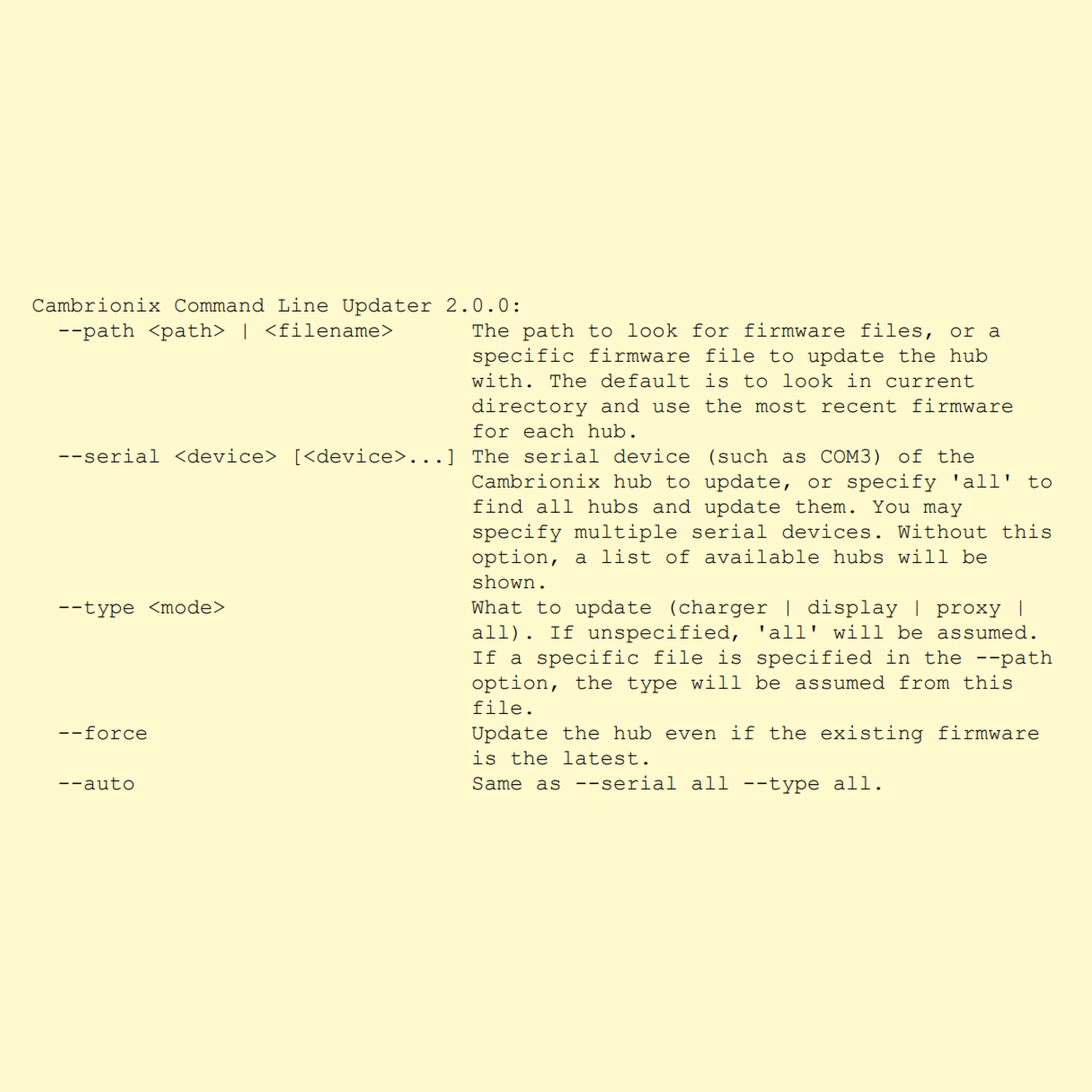
The CLU is a lightweight, standalone command-line application that allows you to quickly update firmware on supported Cambrionix hubs. It’s designed to simplify firmware deployment across multiple devices with minimal user interaction.
CLU is ideal for production environments, automated setups or teams that prefer not to install additional software. It runs without the need for runtime libraries, supporting software or changes to the host operating system.
Efficient and easy to use, CLU ensures your hubs stay up to date with the latest features and performance improvements — all from your terminal.
Why use the Developer Tools?
Have questions or need support?
Whether you’re setting up automation with CLI, deploying firmware via CLU or onboarding the entire fleet of hubs and devices into Connect software, our technical team is here to support you.